


 Communications
Every message. One place.


Quotes, crews, photos and payments. One app for your contracting business.
From first call to final payment.
Start Free TrialCommunicationsEvery message. One place.
 Sales
Quote it. Book it.
 Service
Ready for the job.
 Schedule
See the time you have.
 Dispatch
The right crew. On time.
 Capture
Show the work.
New Assets
Know where it is.
New Payments
Finish the job. Get paid.
 Connect
Your tools, connected.
 Growth
Bring customers back.
Coming Soon AI Foreman
A hand with the admin.
Coming SoonSee how the work moves through JobsiteOn.
Find the drafts, follow the approvals and keep the next job moving.
Explore Sales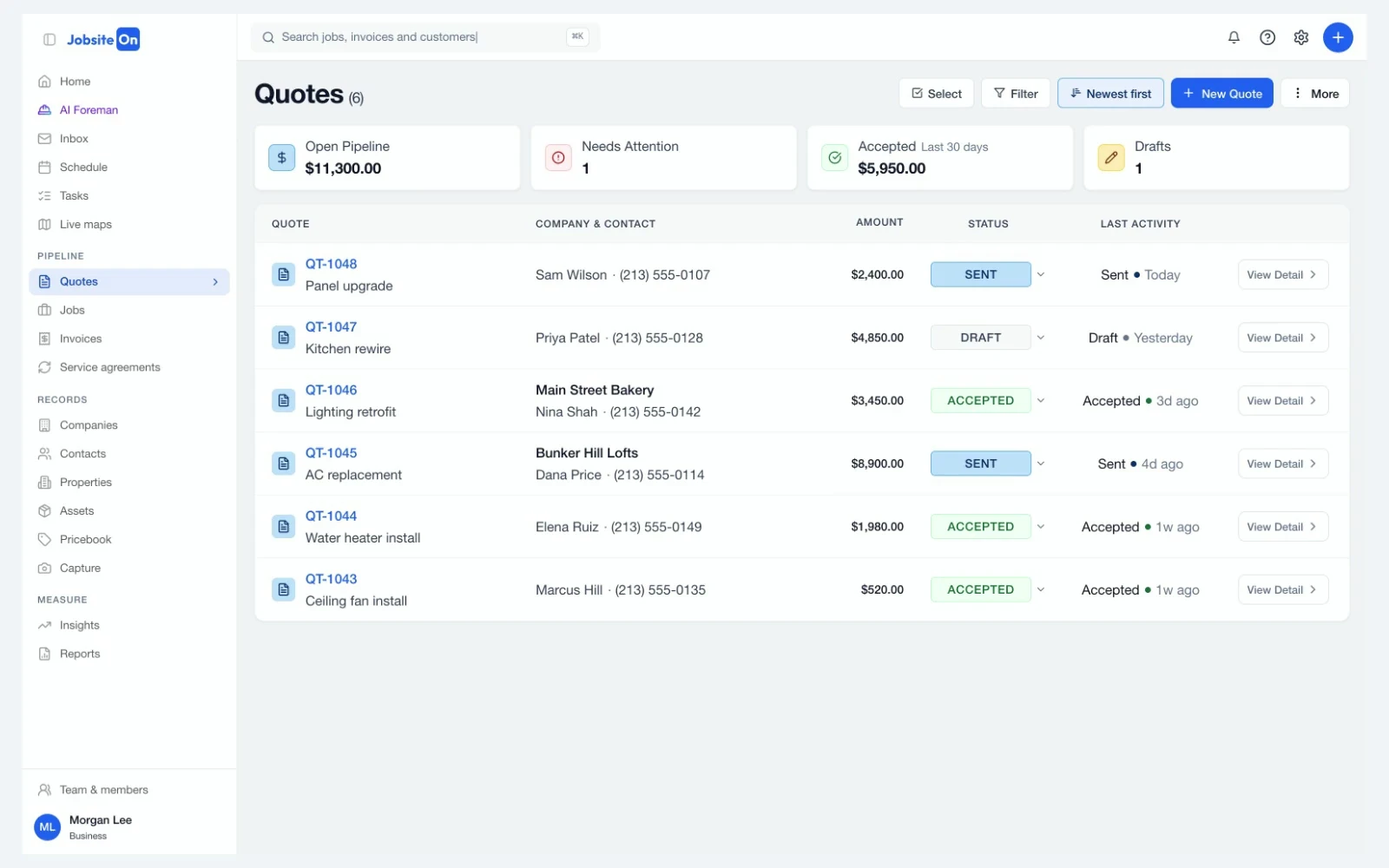
See the month ahead before you promise a date. Keep visits on the calendar.
Explore ScheduleKeep the people and equipment assigned to the work in the same job record.
Explore ServiceReview sent, paid and overdue invoices. Know which ones need a follow-up.
Explore PaymentsCheck your next visit on an Android phone, Android tablet, iPhone or iPad. Back at your desk, keep up with new work on your Mac or in Chrome.



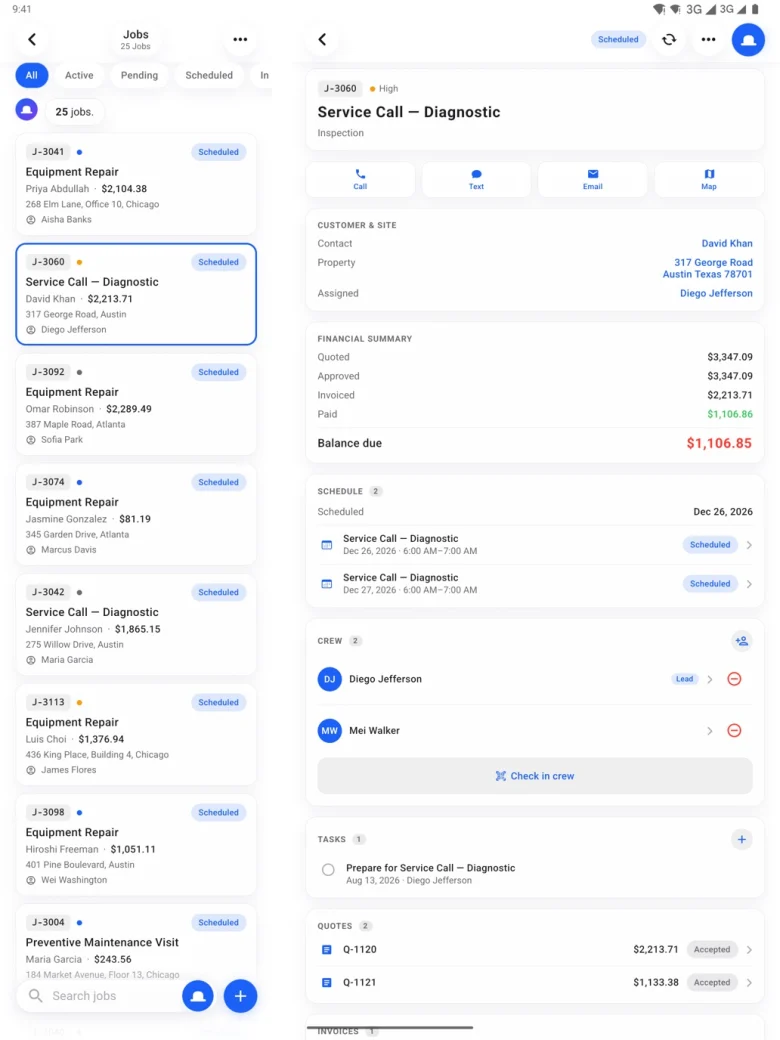
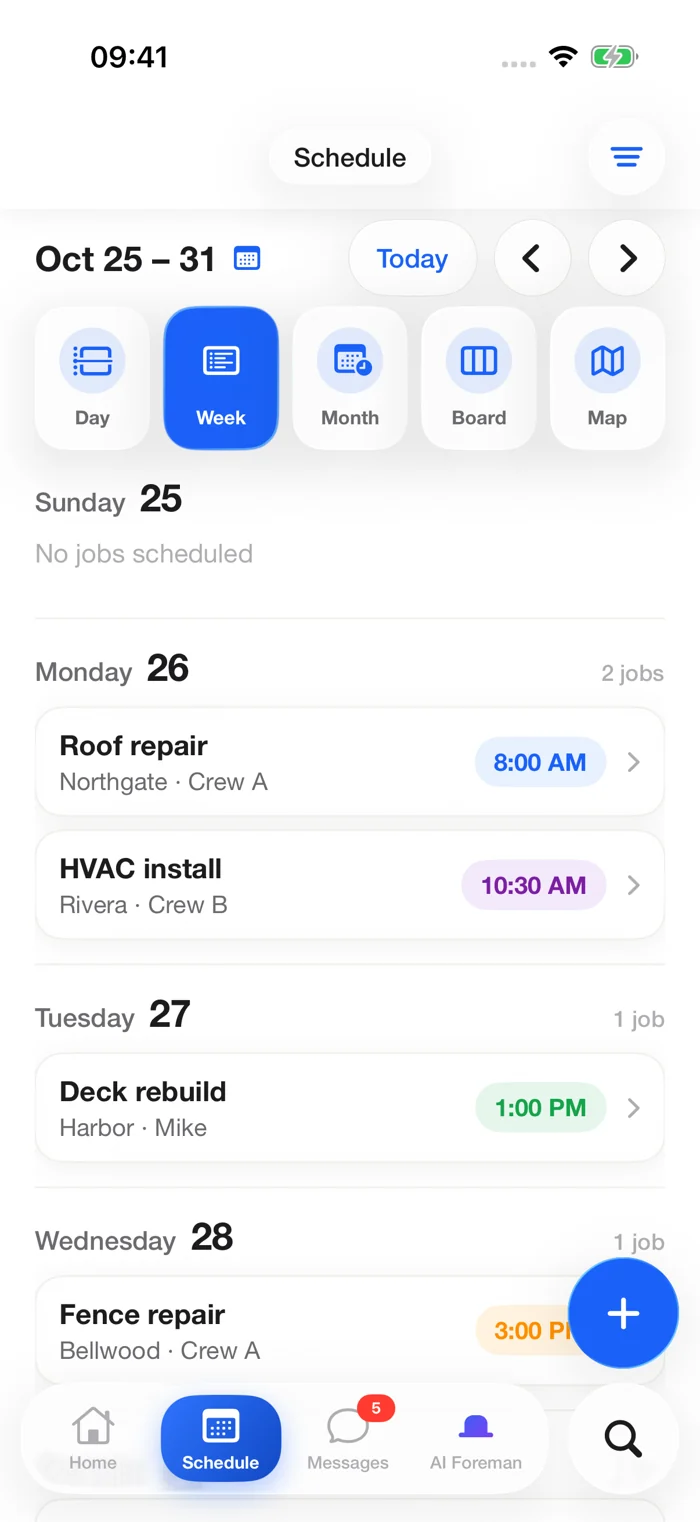
A few ways to put JobsiteOn to work. Explore these workflow examples for your next job.

Give the customer a written scope, then keep the accepted work connected to the job.
Put the visit, people and checklist in the job before the work begins.
A close-up and a clear caption can explain the part of a job that a wide shot misses.
Keep the charges clear and the payment record with the work.
Bring email, calendars and accounting into the picture. Choose a connection. Review what it syncs.
Explore ConnectBrowse supported connections.
Review access and sync settings.
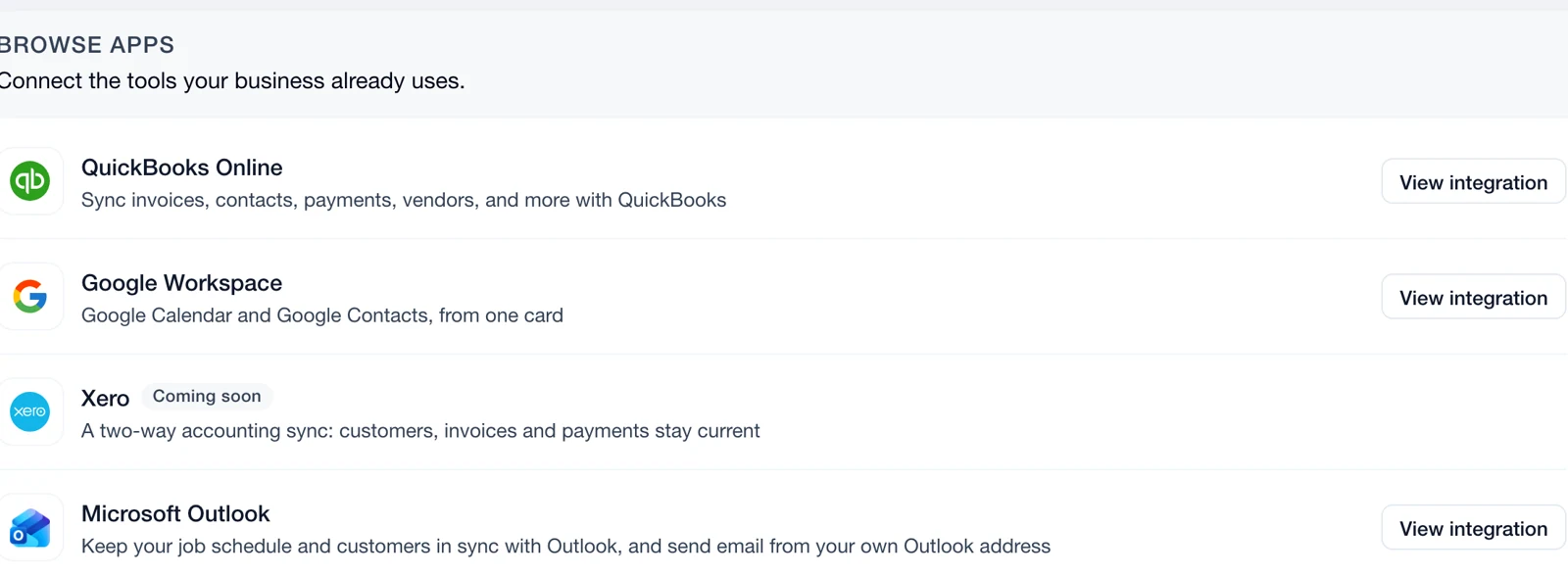
Availability and sync options vary by provider.
Swipe or scroll to explore. When this row is focused, use the left and right arrow keys. Home and End move to the first and last items.

From line items to customer approval.
Read the guide
Customers, visits and tasks, together.
Read the guide
Capture the details while they're visible.
Read the guide
Record what arrived. Follow what's left.
Read the guideQuotes, customer conversations, jobs, schedules, crew assignments, jobsite photos, equipment and invoices. Explore each product above to see its current features.
Yes. Get JobsiteOn on Google Play for Android phones and tablets, or on the App Store for iPhone and iPad. Both apps show upcoming visits and job details. You can also use the web app, the Mac app or the Chrome extension.
Use Connect to review supported integrations, including Google Workspace, Microsoft Outlook and QuickBooks Online. Each connection has its own permissions, setup and sync rules. Third-party subscriptions and charges may apply.
Send an invoice and track its balance in Payments. Online collection depends on your connected payment setup and provider eligibility. You can also record payments received elsewhere.
Growth and AI Foreman are coming soon. Their pages preview the planned tools. The other product pages show the current app.
The pricing page lists the current plans and what's included. The Help Center has step-by-step guides. For a question about your business, contact our team.
Start with the next quote. Build from there.


